Announcement Bar
Display important messages, promotions, and shipping updates at the very top of your store.
.png)
Overview
The Announcement Bar is a high-visibility area designed to catch the customer's attention immediately. Sellzar's implementation features a dynamic slider, allowing you to cycle through multiple messages without cluttering the UI.
Adding Messages
You can add multiple messages as "Blocks" within the section. Each block can have its own text and call-to-action link.
To add a message:
- In the Theme Editor, go to the Header Group.
- Click on the Announcement Bar section.
- Click Add Announcement to create a new block.
- Enter your Text(e.g., "Free shipping on orders over $50!").
- (Optional) Provide a Link and Link Text to create a clickable button.
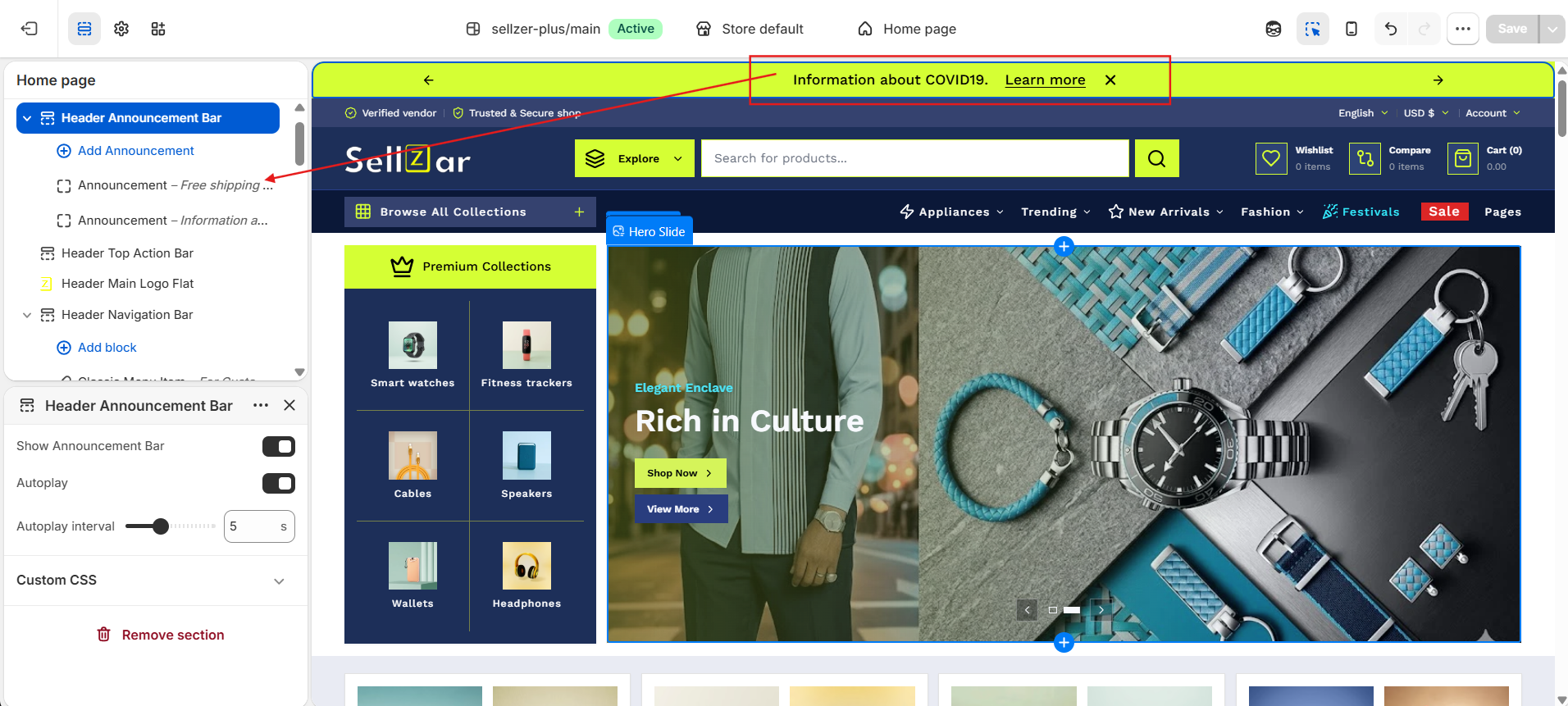
Slider Settings
Control how your messages transition and interact with the user.
Autoplay
When enabled, the bar will automatically cycle through all your announcement blocks.
Autoplay Interval
Adjust the speed of the slider (from 2 to 10 seconds). We recommend 5 seconds for optimal readability.
Styling & Colors
The Announcement Bar colors are tied to your Header Colors global settings to ensure a cohesive look. It specifically uses the Header Secondary Color for its background.