Newsletter Popup
Build your email list with a professional, non-intrusive newsletter popup.
Newsletter Popup (Modern Split Layout)
.png)
Overview
The Newsletter Popup is a powerful lead generation tool. Sellzar features a modern "Split Layout" with a high-quality image on the left and a conversion-focused form on the right.
Configuration
To enable and configure the popup:
- Go to the Overlay Group (or Footer section) in the customizer.
- Click on Newsletter Popup.
- Toggle Enable Newsletter Popup.
Display Settings
Display Frequency
Always: Shows on every page load.
Once per session: Shows only once when a user opens their browser.
Once per day: Uses cookies to show once every 24 hours.
Display Delay
Set a delay (0-10 seconds) before the popup appears to avoid interrupting the initial page load.
Newsletter Display Settings in Sidebar
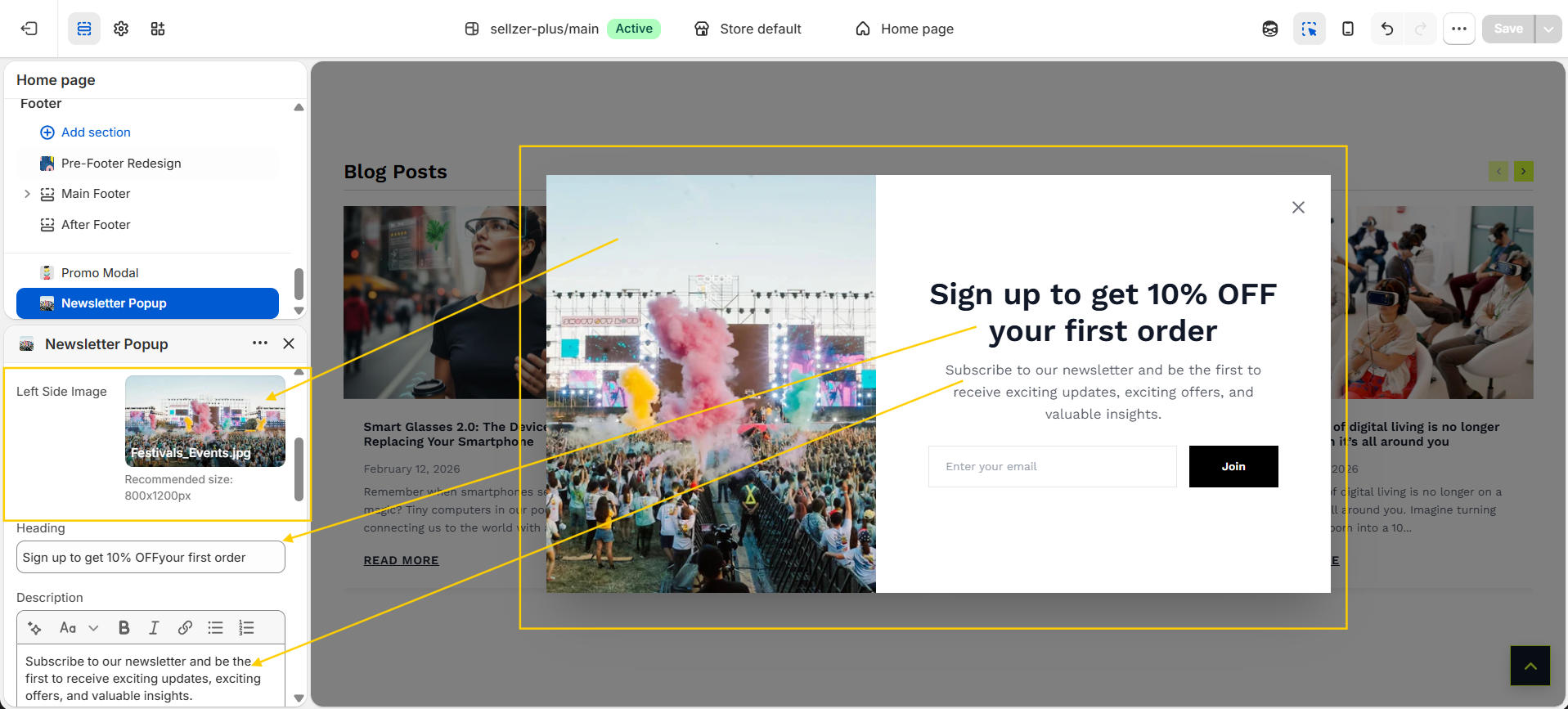
Content & Design
- Image: Upload a high-resolution image (recommended 800x1200px).
- Social Icons: Toggle social media links to build your following across platforms.
- Custom Colors: Overwrite global colors for background, text, and buttons specifically for this popup.
Customer Form
Sellzar uses the native Shopify Customer Form. Submissions are automatically tagged with "newsletter" in your Shopify Admin > Customers list.