Sticky ATC Bar
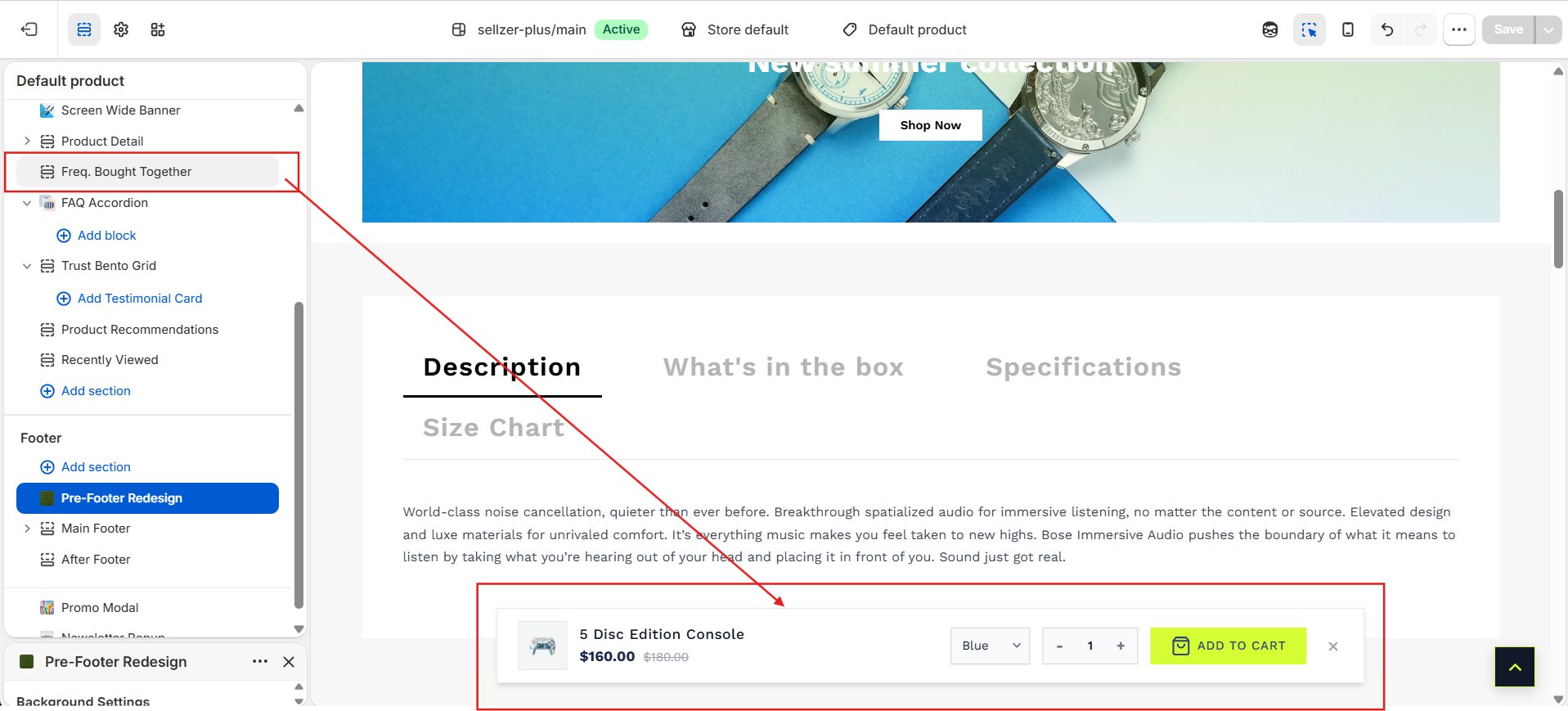
Maintain purchase options throughout the browsing journey. The Sticky Add-to-Cart (ATC) bar displays a slim product bar at the viewport edge once the main product form scrolls out of view.
Overview
On detailed product pages with rich media, reviews, and specifications, customers often have to scroll back up to purchase after reading. The Sticky ATC Bar eliminates this friction. It monitors scroll offsets relative to the main Add to Cart button and smoothly slides in to provide a persistent, compact check-out option.
Core Features
Variant selections and quantities sync instantly between the main product form and the floating bar. Changing an option in one updates the other automatically.
Responsive breakpoints hide the quantity selector on mobile screens to save horizontal space, displaying only critical product info and a full-width CTA block.
Component Breakdown
Configuration Settings
The Sticky ATC Bar requires no complex coding and can be toggled globally in:
Shopify Admin > Online Store > Customize > Theme Settings > General > Enable Sticky Cart
/cart/add.js. Upon success, it fires custom global cart event updates, instantly updating cart counts and sliding the Cart Drawer open.